For businesses
Free to start.Subscribe as you grow.
Nearmedeals for business is a mobile app. You list your shop, publish offers, and scan customer codes at the counter — all from the phone in your pocket. You pay for the plan you are on, billed monthly — never a cut of what you sell.
How billing works
Your monthly plan
The only thing that decides what you pay
- Not per impression
- Not per click
- Not per redemption
- Free to start, no card required
Why the alternatives never fit
Every channel you have tried was disqualified for a different reason.
Too slow
Campaign setup and approval cycles measured in days, against inventory that spoils in hours.
A deal goes live the moment it clears moderation. Dayparting means a lunch offer runs at lunch and stops afterwards, without you touching anything.
Too broad
City-level or area-level targeting, when what a shop needs is a walkable radius.
The radius is walkable by default, computed from real coordinates. You reach the street around you, not a city that will never visit.
Too expensive
Ad spend, aggregator commissions and listing fees with no attributable return.
Nothing is charged until you have scanned a customer at your counter. There is no spend to lose.
What it costs
Free to start. Subscribe as you grow.
Creating a merchant profile automatically starts you on our Free plan — no card, no sales call. As your shop needs more — higher listing limits, side-by-side testing, sponsored placement, deeper integrations — you move up to a paid monthly plan. There is no commission on any redemption, ever: what you pay is your plan, never a cut of what you sell.
Plans are billed monthly, not per deal, per click, or per redemption. Upgrade or downgrade any time — the change takes effect from your next billing cycle.
Full pricing detailIncluded at no cost
- Store listings, automatically placed on the map
- Deal creation with flexible scheduling across as many outlets as you like
- Service listings, requests, quoting and bookings
- QR verification in the merchant app, usable by staff you choose
- Simple reports for every deal — views, clicks, redemptions, revenue
- Merged inbox for messages and disputes, plus a dedicated leads screen
- Spreadsheet bulk import and export
- A public trust score and verified-purchase reviews
Getting set up
From registration to your first verified sale.
- 01
Register and get a free plan
Creating a merchant profile promotes your account and assigns the appropriate free plan automatically. No card, no sales call.
- 02
Add your store
Geocoded location, logo, banner. Multi-outlet operators can bulk import stores from a spreadsheet.
- 03
Publish an offer
Set price and discount, up to five images, an availability window, terms, and dayparting — so a lunch offer runs only at lunch.
- 04
Verify at the counter
Scan the customer's QR in the merchant app, or type their code. Scoped staff can verify without ever seeing payout or subscription data.
- 05
See what actually worked
Views, clicks, redemptions and revenue per deal, with performance alerts. On plans with side-by-side testing, run an A/B test on the creative and apply the winner.
At the counter
0s
is the whole interaction
Open the app, scan, done. Or type the four-character code if the camera is struggling in bad light. A staff member assigned to that store can do it without seeing payouts or billing.
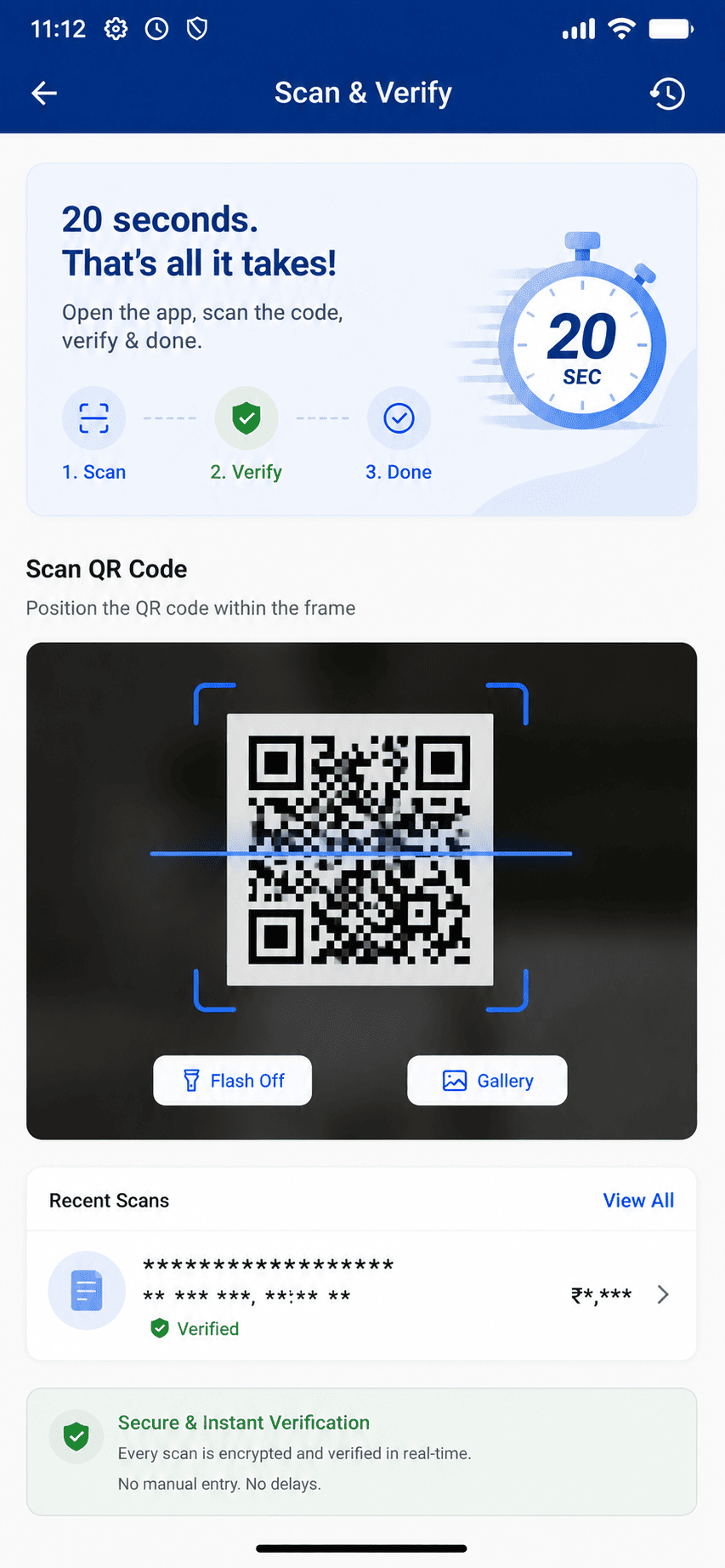
The merchant app — Scan & Verify
Whatever you run
Four shapes of business, four ways in.
Kiranas, cafés and salons
Drive footfall and clear slow-moving stock
Register, get a free plan, create a store, publish a deal with dayparting, verify at the counter, watch the views and redemptions.
Gyms and boutique restaurants
Build repeat custom and a customer record
Tiered offers, leads captured through the merged inbox, peak-hour analysis, and an A/B test on the deal creative with the winner applied.
Multi-outlet operators
Balance capacity and pricing across locations
Bulk import stores and deals from a spreadsheet, assign one deal to several outlets, staff accounts per outlet, automatic sold-out on exhaustion.
Plumbers, clinics, tutors
Turn enquiries into completed, paid jobs
A service listing with coverage areas, inbound requests you quote on, availability slots, a completion handshake the customer confirms, then a review.
The tooling
Not a listing page. An operating surface.
All of it lives in the merchant app. There is no separate web dashboard to keep a laptop open for, and nothing here requires a computer at the counter.
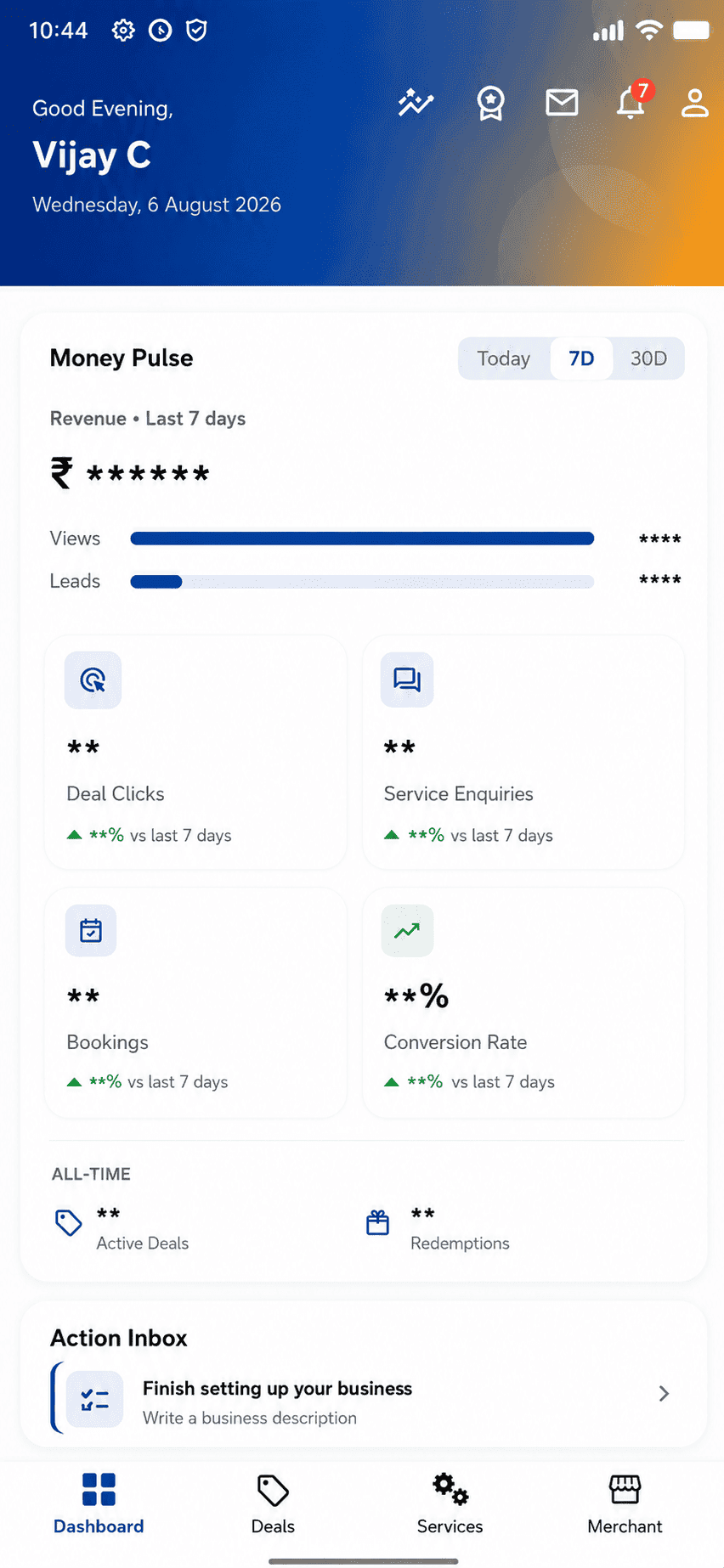
Dashboard — today's numbers
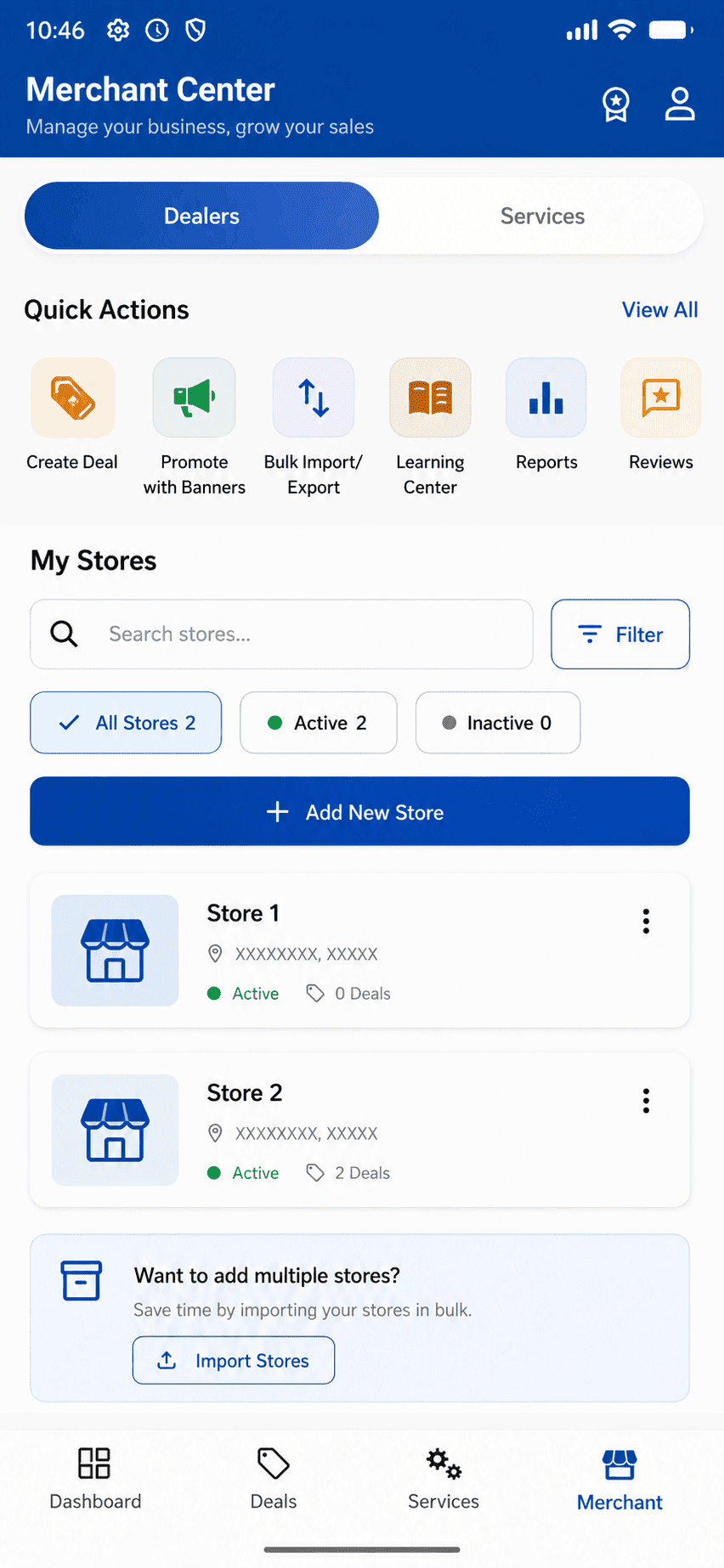
Merchant Center — stores and deals
Dayparting
Run a lunch offer only at lunch. Set the days of the week and the hours within them.
Multi-store assignment
One deal, several outlets. Bulk import stores, deals and services from a spreadsheet.
Staff roles
Give owner, manager or staff access for specific stores. A counter employee can verify redemptions without ever seeing payouts.
Side-by-side tests
Try two versions of a deal's title, description or image, see which one people respond to, and switch to the winner. Included from the Plus plan up.
Merged inbox
Message threads and disputes in one queue, with a dedicated leads screen for tracking every incoming enquiry.
Connect your own tools
Set up your own webhooks in a few taps for a point-of-sale system or a CRM, or ask us for deeper API access if you need it. Either way, it stays in sync with your deals, redemptions and payouts — and you can disconnect it yourself, any time.
Worth saying plainly
Be among the first shops on Nearmedeals.
The app is built and ready. If you would like to be the shop your neighbourhood finds first, tell us where you are.
Register your shopQuestions
What shopkeepers ask first.
Nothing to start. Creating a merchant profile auto-assigns a Free plan — no card, no sales call. As your shop grows, you move up to a paid plan for more listing capacity, testing, and reach. There is no commission on redemptions, ever.
Next step
Be the shop they find first.
The first hundred merchants in a pincode get the density advantage and our full attention. There is no cost to putting your name down.